
Overview
Instructions on how to connect to Azure Kubernetes Service. The extra steps on the connect to cluster pop out page are needed when connecting to a cluster that is configured as private. With a public cluster the first steps can be skipped and can move on to step 3 of the below instructions.
Configuring Azure Private Connection Prerequisites
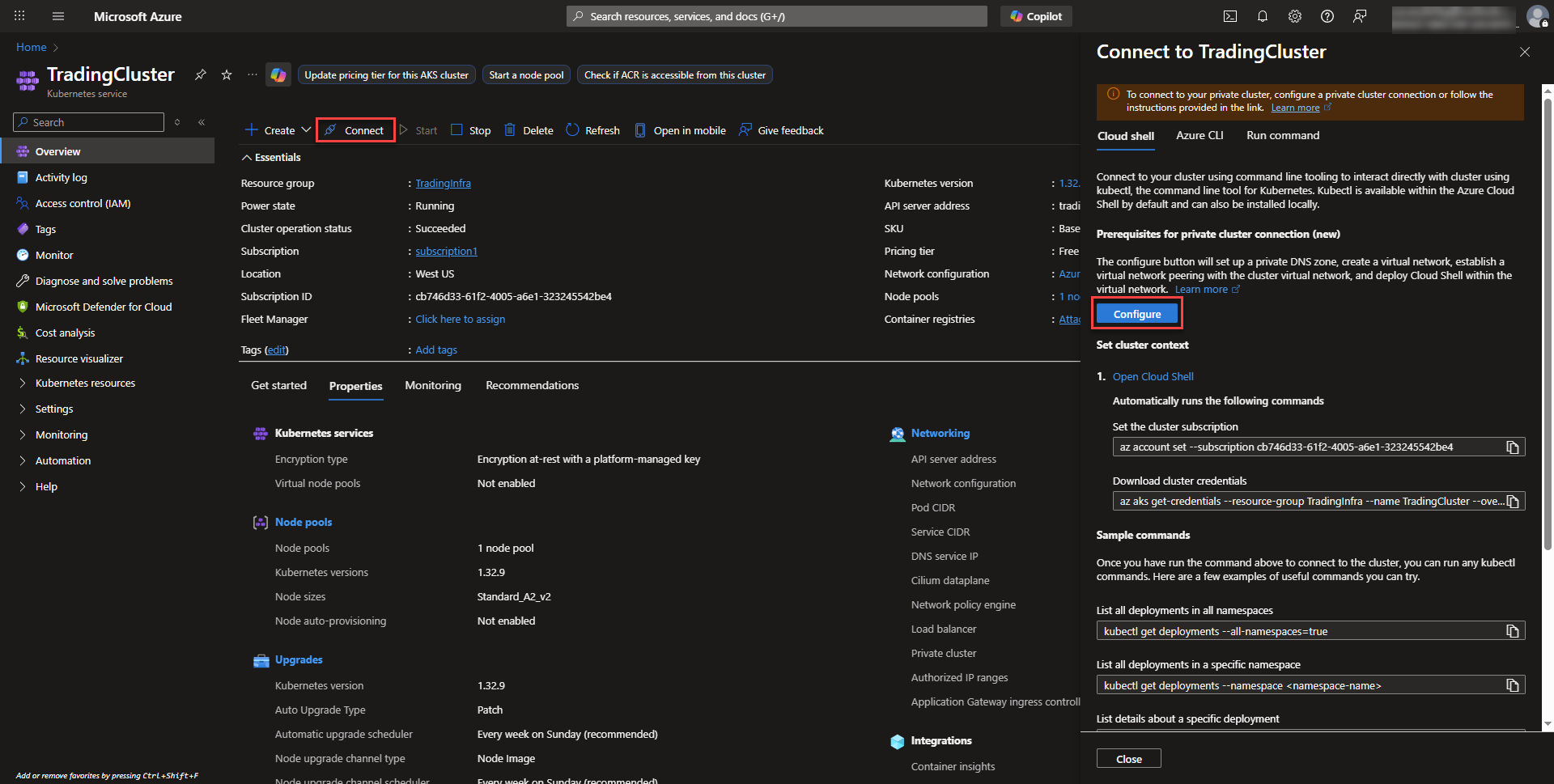
- A private cluster restricts access to the Kubernetes API Server and to be able to connect, a private endpoint needs to be configured on a vnet that has access to the cluster. On the overview page of the AKS Cluster click on connect. Selecting configure will automatically generate all the resources needed so that cloud shell can connect to the cluster privately.
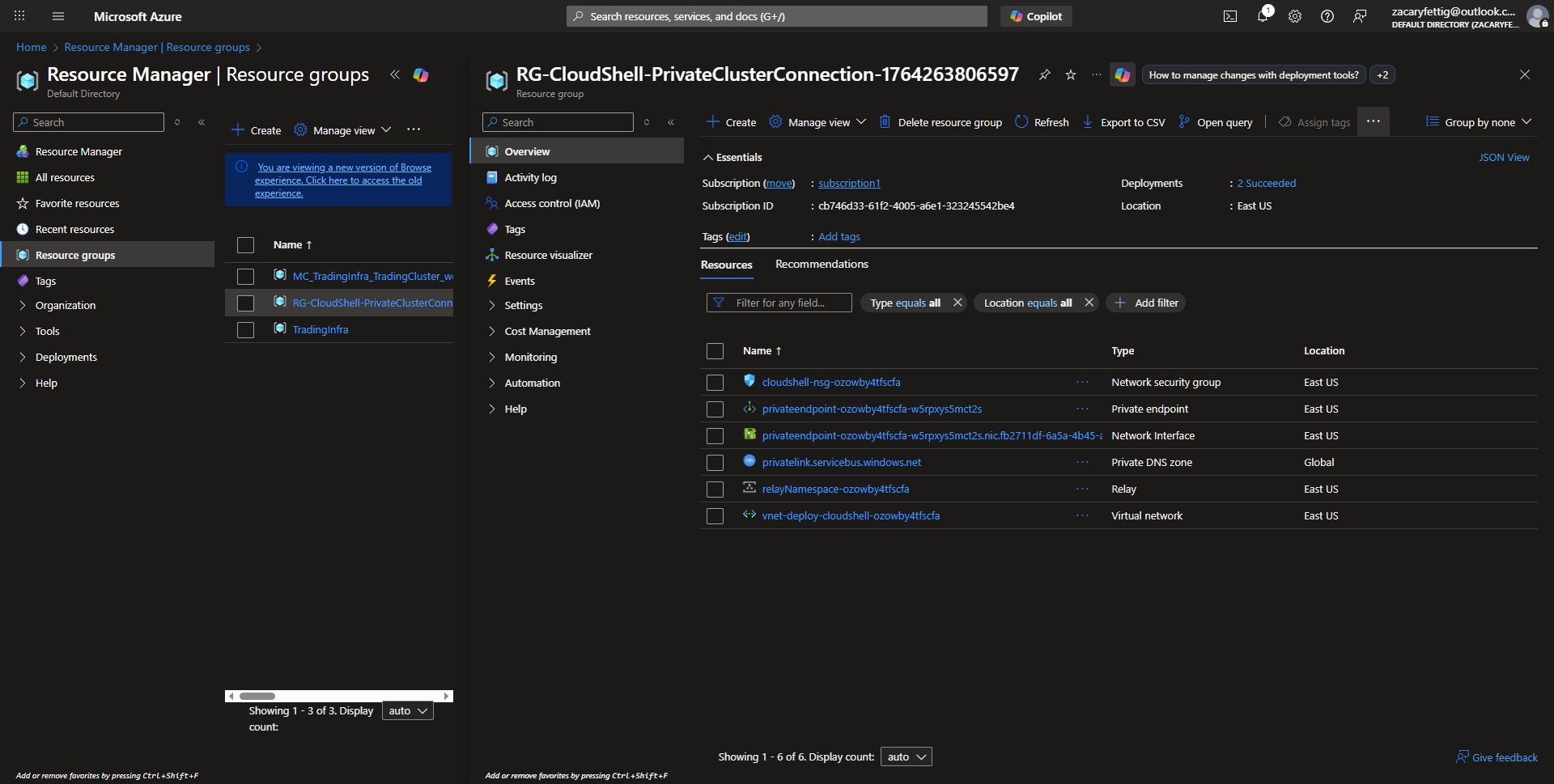
- Azure automatically creates the below resources that enables connection from cloud shell over private endpoint.
3. Once the page shows that the resources are configured, cloud shell will have access to clusters marked as private. 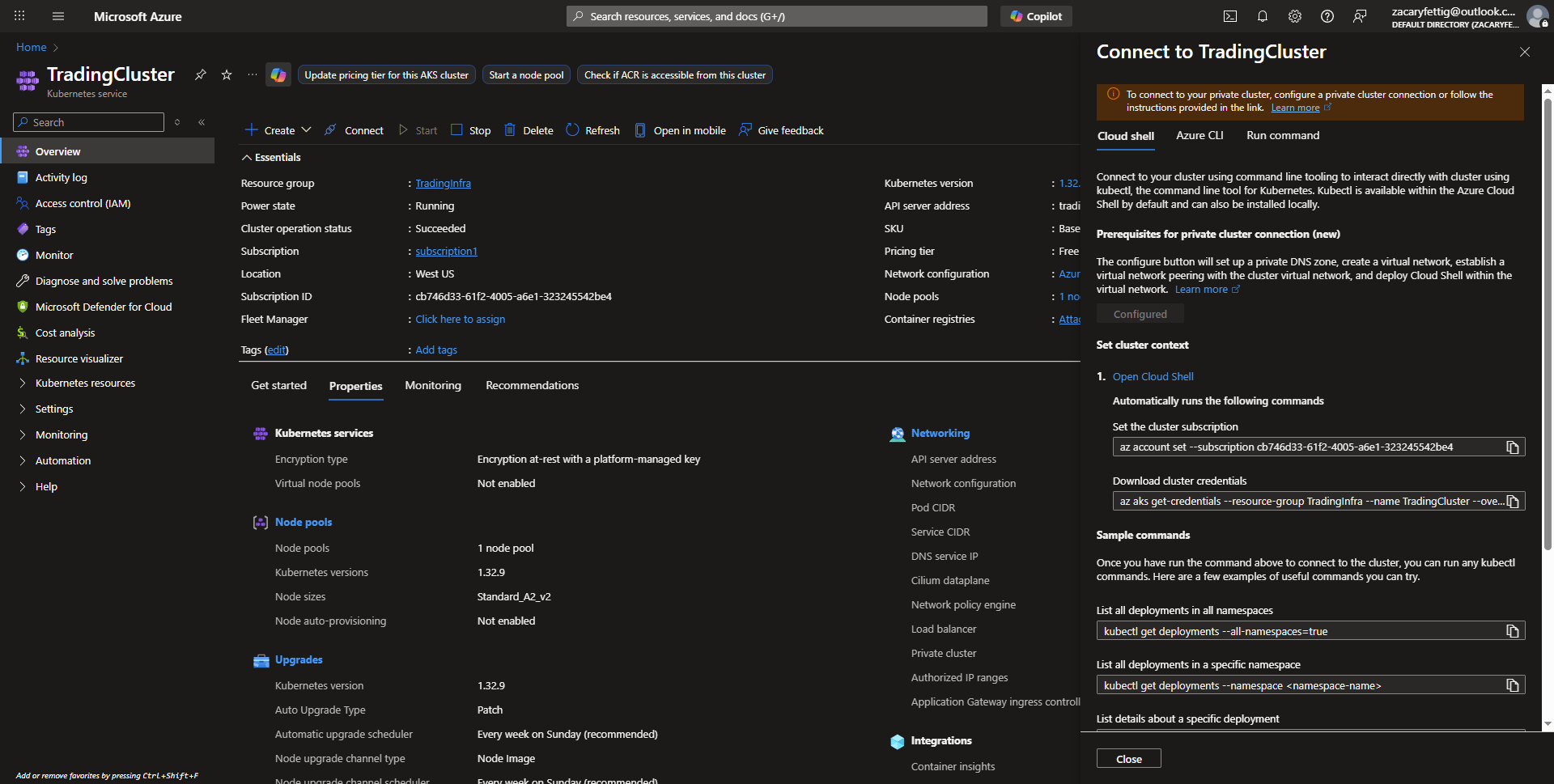
Connecting to the Cluster
- Open cloud shell from Azure Portal. The commands to connect to the cluster will be run next.
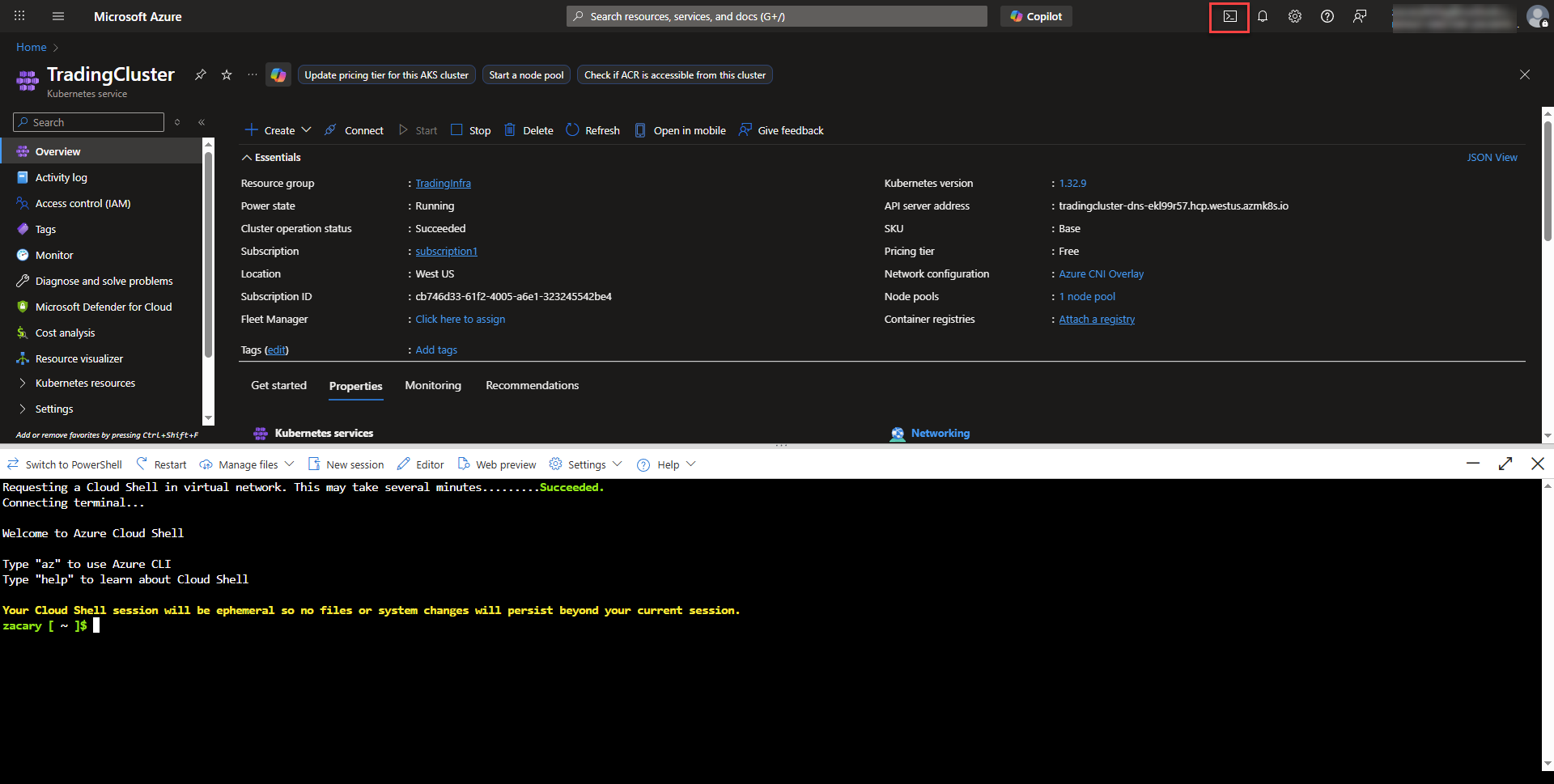
- Azure shows the commands necessary to connect to the cluster on the connect to the same cluster information pop out page from before. The commands under the set cluster context section heading can be copied and pasted into the cloud shell. First the set cluster subscription command. Then the download cluster credentials command. These two commands provide access into the cluster where kubectl commands can now be run.