
Overview
This guide walks through the basics of setting up the Go application to connect to the Alpaca Trading Platform using the Official Alpaca Go SDK. This is the initial foundation of the application that can be built upon while adding features later on like trade execution, portfolio management, and data analysis.
What is configured:
-
Securly storing Alpaca API credentials using environment variables.
-
Creating an authenticated client that capable of sending HTTP requests.
-
Retrieving information from an Alpaca Trading Account.
Connection to Alpaca API
Imports – The code first starts with the import section which enables external libraries and modules to be used within the current program.
Imports used:
- fmt: Enables Go to output text to the console
- os: Handles and reads event variables. The code below will store the environment variables in a separate file and the program will read those stored values.
- /alpaca-trade-api-go/v3/alpaca: This package is Alpaca’s official Go SDK. It exposes prebuilt client libraries that handle authentication, API requests, and responses when communicating with Alpaca’s trading platform. By importing this library hosted in Alpaca’s GitHub, our application can interact with Alpaca’s APIs using Go.
package main

import (
	"fmt"
	"os"
	"github.com/alpacahq/alpaca-trade-api-go/v3/alpaca"
)
Environment Variables – This part of the code gets the environment variables for the Alpaca account and stores them in variables that the code can use. The environment variables are stored within a separate code file within the same root directory called .env and os.Getenv imports that information from the .env file. The API keys and account information used in the environment variables are available from your Alpaca account dashboard at alpaca.markets. After signing in, locate the API Keys section in the lower-left area of the home page, where the credentials can be generated and copied.
Environment Variables used:
- APCA_API_KEY_ID: The public identifier for the Alpaca account and can be found in the Key field on the Alpaca home page.
- APCA_API_SECRET_KEY: The private credential that is used to authenticate and only shown once when generating the API Key information.
- APCA_BASE_URL: The base url differentiates whether future trades will be executed using paper trading or traded on the real market.
var apiKey = os.Getenv("APCA_API_KEY_ID")
var apiSecret = os.Getenv("APCA_API_SECRET_KEY")
var baseURL = os.Getenv("APCA_BASE_URL")//example .env file. Trading account information replaced in the values section.
APCA_API_KEY_ID="<your-Alpaca-api-key>"
APCA_API_SECRET_KEY="<your-Alpaca-api-secret-key>"
APCA_BASE_URL="<alpaca-base-url>"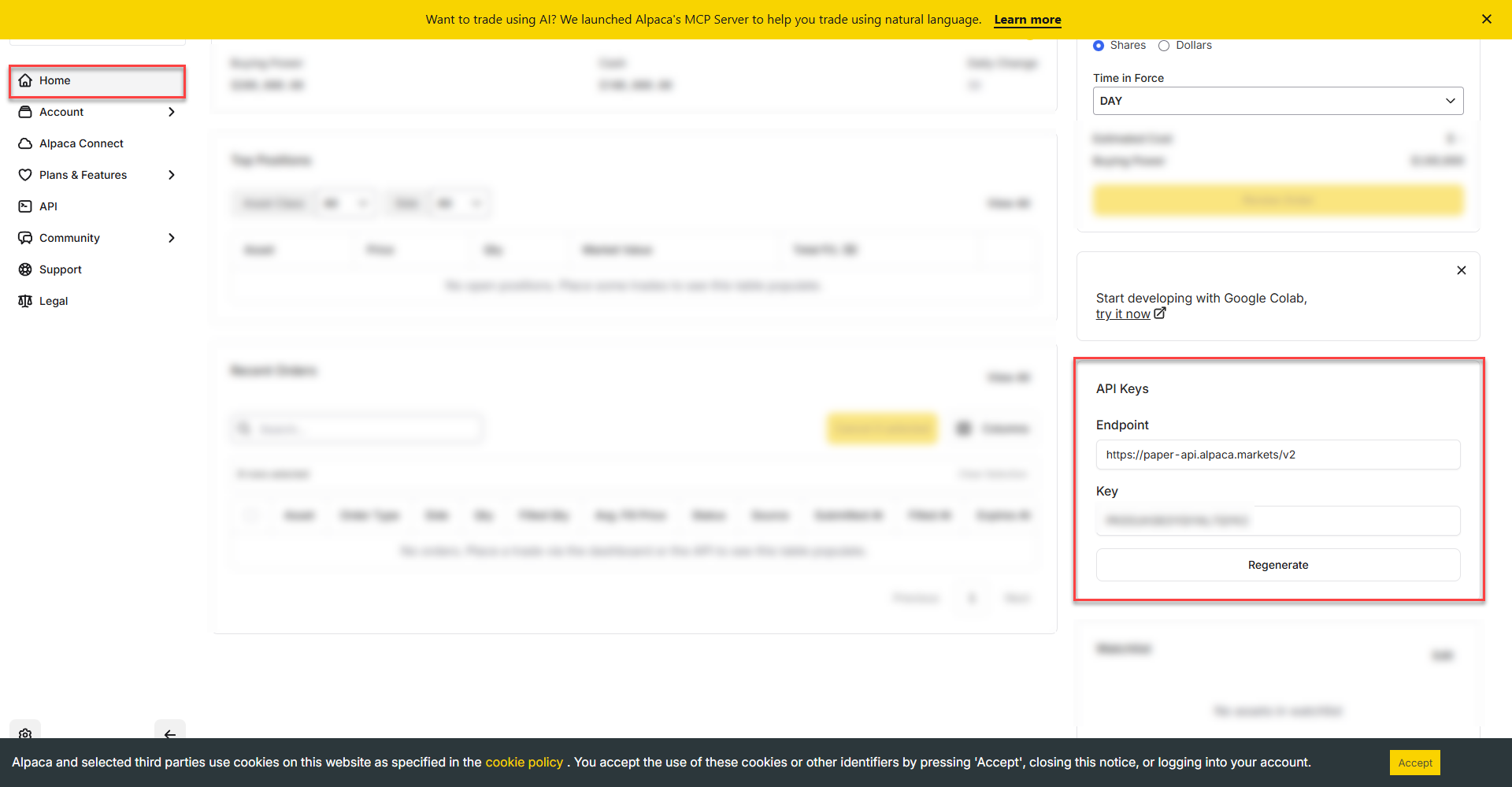
Main Execution – Inside a Go application, main() is the entry point of the program and the code within the function is what gets executed within the program. In this program main creates an authenticated Alpaca API client, requests account information from Alpaca, and prints the account details to the console. Doing this will test to make sure that our program can connect to our Alpaca trading account.
Sections within the code:
Client:= alpaca.NewClient: Creates an API client object provided by the Alpaca Go SDK, creates a reusable client that knows how to authenticate, build requests, send them to Alpaca, and parse the responses.
acct, err := client.GetAccount(): Fetches account information. Calling GetAccount() triggers a a request/response between the application and Alpaca’s servers.
Variables: APIKey, APISecret, and BaseURL are all added to the HTTP request for authentication to Alpaca and the variables must be named the same in order for Alpaca to recognize them.
If err != nil: In Go, it must be explicitly defined that the error log is printed for viewing.
fmt.Printf(“%+v\n”, *acct): prints the account object information by printing all the struct fields with the names. This is referencing the code that Alpaca has built within their API and the above code written in this program had requested the stored account information. %v tells Go to print the value of the struct. The + in %+v tells Go to include the field names in the output. \n adds a new line at the end of each line output to the cli.
func main() {

	client := alpaca.NewClient(alpaca.ClientOpts{

		APIKey:    apiKey,
		APISecret: apiSecret,
		BaseURL:   baseURL,
	})
	acct, err := client.GetAccount()
	if err != nil {
		panic(err)
	}
	fmt.Printf("%+v\n", *acct)